

Using Assemble: Our Volunteer Portal
What is Assemble?
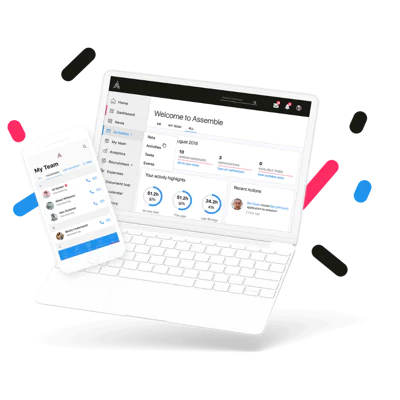
Introduced in February 2026, Assemble is our online volunteer portal, and is designed to make volunteering with Rainbows even easier.
It keeps everything all in one place: your information and details, volunteer events and opportunities, useful documents, and news and updates from Rainbows.
We hope that Assemble will be easy to use and benefit all our volunteers. But you’re not on your own – the Volunteering Team are here to guide and support you every step of the way.
If you have any questions, or encounter any difficulties using the portal, please contact us on [email protected] or call us on 01509 283 956.
Did you know there’s an Assemble App?
The Assemble app has all the main features of the web browser version, allowing for easy access on the move. Either click the links to be taken directly to the app, or search for “Assemble for Volunteers” on your app store.
We’re here to help
To help volunteers become familiar with using Assemble, we have put together a range of useful guides and resources to help you get started. You can find these, together with a list of frequently asked questions, below.
But if you get stuck, or need a hand, the Volunteering Team are here to help you!
-
Why is Rainbows using a Volunteer Portal? How will it help me as a volunteer?
We’re using Assemble to make volunteering easier. We’ve listened to the feedback you’ve given us, and this new portal will allow you to see opportunities, sign up for fundraising events in a couple of clicks, keep your details up to date, and stay informed about what’s going on. We hope it will help you feel more connected to Rainbows, no matter where you volunteer with us.
It will also help our staff too. As our community of volunteers continues to grow, Assemble will also help keep things organised behind the scenes and allow staff to better support you in your role.
-
How do I use it?
Assemble is an online portal. You can access it via the internet on any laptop, computer, tablet or smart phone via the device’s internet browser.
All volunteers will be able to login using their username/email address and password. (Lookout for the welcome email which will contain your login details.)
You can login via the following link: https://rainbows.goassemble.com/portal (You may want to set this as a favourite so you can easily come back to it again.)
If you volunteer with other organisations who use Assemble, the login screen will prompt you to select which organisation you’d like to login to.
-
Is it for all volunteers?
Yes, all volunteers with Rainbows will have access to Assemble.
Some things may look a little different depending on your volunteer role. For example, a fundraising volunteer will be able to see all of the fundraising events and collections near them; while a retail volunteer may only see certain events relevant to them.
We’ll also be testing other features of the portal with certain groups of volunteers soon to see if they’d be useful.
-
Will I be able to use it on my laptop, computer, tablet and or smart phone?
Yes, one of the reasons we chose Assemble is its simple user interface that displays clearly on laptops, computers, tablets and mobile phones.
-
Is there an app for mobile devices?
Yes! The free mobile app is available on both android devices, through the Play Store, and iPhones, from the App Store.
The app has the main features of the web browser version, allowing for easy access on the move. The login will be your same username/email address and password.
Simply search for “Assemble for Volunteers” on your app store.
-
I am not confident using technology. How can you help me?
We have put together some easy-to-follow user guides to help you use Assemble. You can find these on this webpage, just above the FAQ. (They are also in the Document Hub section of the portal.)
If you’d prefer to talk to us about a particular query or question, or you’re encountering difficulties using Assemble, please don’t hesitate to contact the Volunteering Team – it’s what we’re here for!
-
Is my data safe in Assemble?
Yes, keeping your data safe is one our top priorities. Assemble is fully compliant with appropriate GDPR legislation. You can also manage your own data in Assemble.
-
I’ve forgotten my password.
Please go to the login page and click the ‘Forgot password?’ link at the bottom right of the screen and follow the instructions.
-
I’ve forgotten my email address/username. Or my email address is incorrect.
If you can’t remember which email address/username you used to sign up to Assemble or it seems to be incorrect, please contact the Volunteering Team. They will be able to check the information on your profile.
-
I’m having problems using Assemble. What should I do?
Contact the Volunteering Team and they will be able to help. Most difficulties should be able to be resolved over the phone.
The Volunteering Team can be contacted on 01509 283 956 or [email protected]
-
I still have a question.
Check out this longer FAQ guide, which may answer your question. Click here to view the guide.
Otherwise, don’t hesitate to contact the Volunteering Team on 01509 283 956 or [email protected]